
An AI Telegram group bot is a practical assistant for busy communities: it helps moderators deal with spam, makes sure promising customer questions reach the right teammate, and handles the questions members ask every day. It becomes valuable when a group is active enough that good conversations start getting lost between manual moderation and follow-up.
An AI group bot gives your team a cleaner community and a faster follow-up path.
Use it to apply the moderation rules your admins define, bring high-intent customer conversations to the right owner, and answer documented questions without making members wait. Start with spam cleanup and lead routing, then expand automation only where it improves the member experience.
As a group grows, the problems are familiar: a promotional link lands in the middle of a useful thread, a suspicious account posts the same message everywhere, or someone asks for a price while the sales team is asleep. None of these jobs is difficult on its own. The difficulty is catching them consistently. A bot can take care of the repeatable parts—apply rules, flag unwanted content, surface conversations worth a reply—so the team can spend its time where judgment matters.
This guide covers how a Telegram group bot can help with spam cleanup, lead distribution, and the small operational tasks that otherwise follow your admins around all day.
Quick answer: What does an AI Telegram group bot do?
An AI group manager helps with three things: keeping the chat usable, spotting conversations that need a sales or support response, and cutting down repetitive admin work. It is not meant to run a community unattended. Your team still decides the rules, who owns a lead, and when a person should step in.
Telegram Spam Cleanup: Keep Your Group Safe and Useful
Spam changes the feel of a group quickly. It may be repeated promotions, irrelevant links, impersonation attempts, scam messages, or one account flooding a discussion. When moderation is entirely manual, someone has to notice it at the right moment. If nobody does, regular members see the noise before they see the conversation they came for.
A Telegram anti-spam bot gives your team a dependable first line of defense. Based on the rules you set, it can catch unwanted patterns, limit link posting, notice repeated content, and then delete, warn, restrict, or send a case to an admin.
Start with clear rules, not a vague "remove spam" setting
Good moderation is specific. Before enabling automation, define what is unacceptable in your community:
- Which links, domains, phrases, or promotion types are prohibited?
- Should new members be treated more cautiously than established members?
- Does a first violation deserve a warning, message removal, mute, or removal from the group?
- Which categories—such as product feedback or support links—must never be deleted automatically?
These choices are what make the bot useful instead of annoying. Run new rules in a monitoring or review phase where possible, particularly after a change. It is much easier to catch a false positive there than to explain later why a genuine member's message disappeared.
Make moderation visible to the team
An effective Telegram moderation bot should give admins context, not mystery. Keep a simple record of what was flagged and why. That makes edge cases easier to review, rules easier to improve, and moderation decisions easier to explain to a genuine member.
In a fast-moving group, the best setup is usually a mix: remove clear-cut spam straight away, but pass ambiguous, sensitive, or high-value conversations to a person. That protects the group without making every interaction feel like it was handled by a machine.
Telegram Lead Distribution: Turn Conversations into Follow-Up
Spam is only half the job. In a product or service group, someone may ask about pricing, availability, a demo, a quote, an order, or integration details. Those are the messages a team cannot afford to miss—yet in a busy chat, they can disappear from view within minutes.
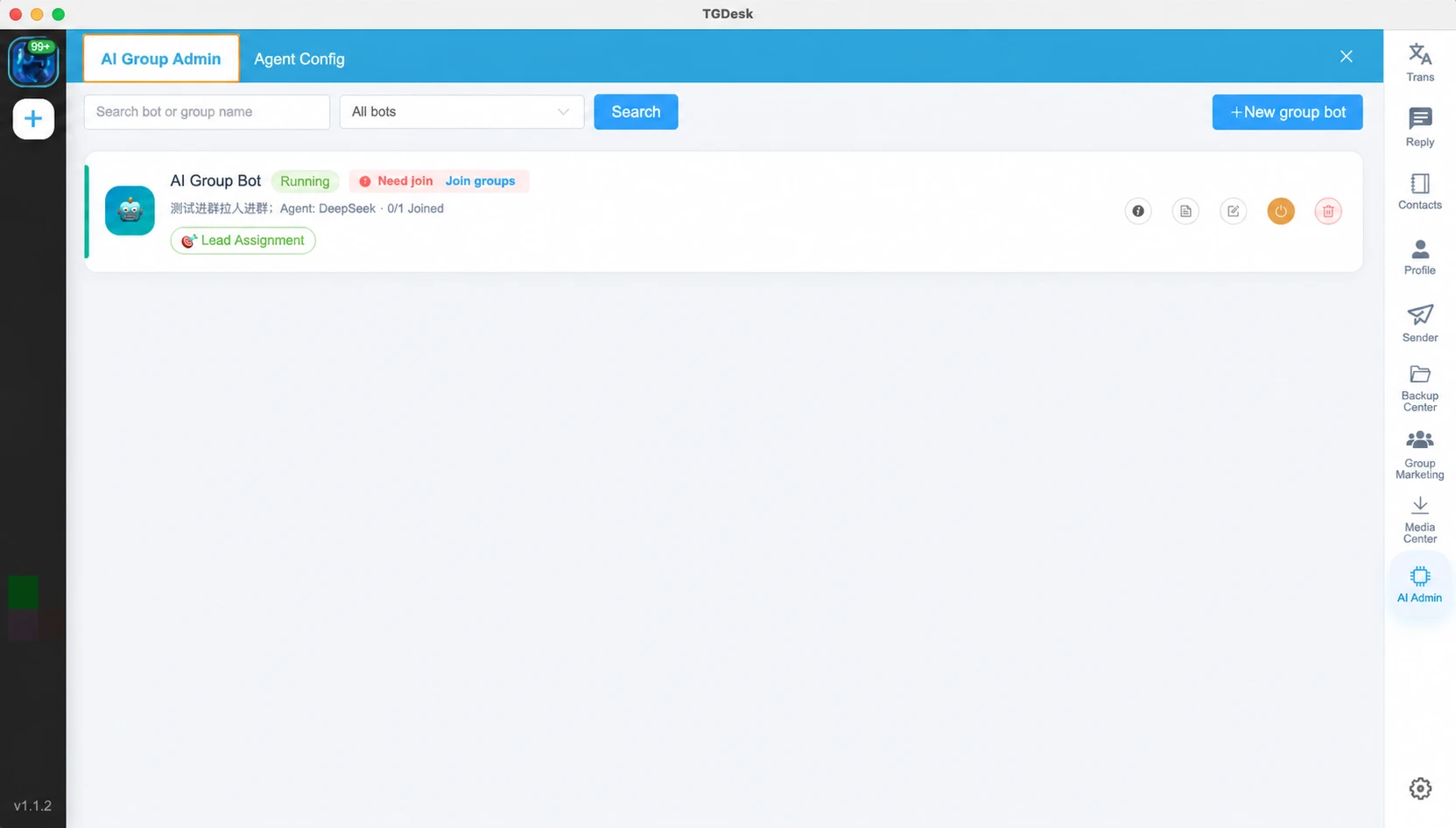
Telegram lead distribution turns those moments into a clear handoff. The bot watches for the phrases and signals your team cares about, keeps the relevant context, and routes the conversation to the person who can help. This matters most when several sales reps, regions, languages, or product lines share one community.
Build routing around how your team actually sells
Avoid sending every question to the same person. Start with a small routing model your team can actually maintain. For example:
| Signal in the conversation | Suggested owner |
|---|---|
| Pricing, quote, order, or demo request | Sales representative |
| Product setup or troubleshooting | Customer success or support |
| Partnership or reseller inquiry | Business development |
| Language or region-specific request | Local market owner |
Your Telegram bot for sales can then notify or assign the appropriate teammate while keeping the original message and enough context for a useful follow-up. The customer should not have to repeat their question just because it has moved from a group chat into a private sales workflow.
Keep a human in the closing step
Automation can spot likely intent and make the handoff faster, but every mention of "price" is not a qualified lead. Let the assigned owner judge the opportunity, respond with the right information, and decide the next step. That keeps routing quick without turning a real customer conversation into a checkbox.
AI Replies and Group Summaries Reduce Repetitive Work
Growing communities hear the same questions again and again: Where is the documentation? Which plan fits this use case? How does onboarding work? What happened while I was offline?
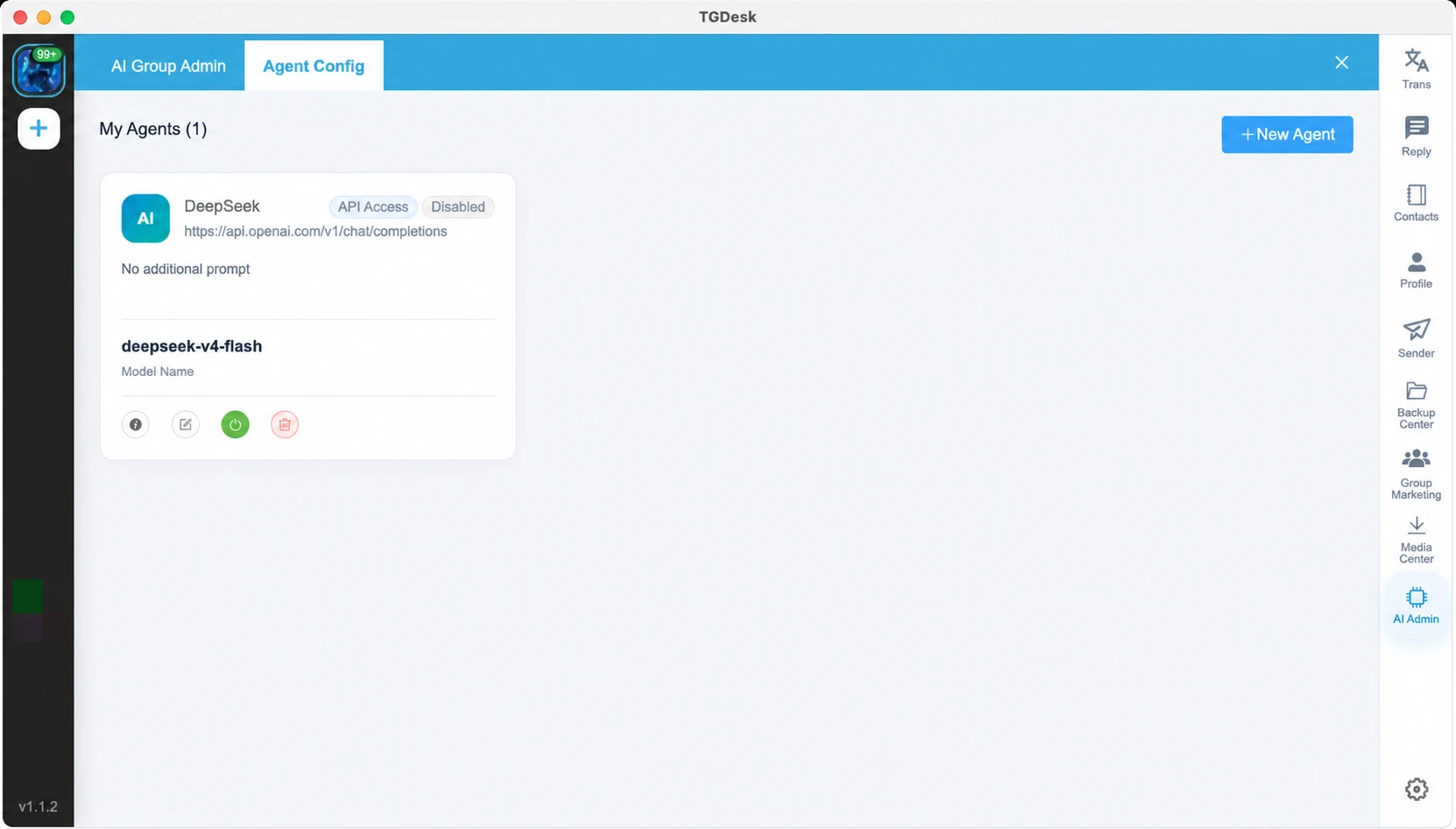
An AI group bot can answer routine questions from an approved knowledge base or help center. Members get a useful starting point, while admins keep their attention for requests that need judgment. The important part is the setup: keep the source material current, decide when the bot should hand off to a person, and review its answers from time to time for accuracy and tone.
Summaries solve a different problem: catching up. A daily or weekly recap can highlight repeated questions, active topics, unresolved issues, and notable leads. Instead of scrolling through every message, the team can quickly decide what needs attention.
A Practical AI Group Manager Workflow
An AI group manager works best when it is part of your team's normal operating process, not a switch you turn on and forget. This four-step rollout keeps the early setup manageable and safer.
1. Map your group rules and lead signals
List the spam patterns you want to stop and the commercial or support signals you want to capture. Keep the first version short. Begin with the messages moderators remove over and over, plus the inquiries your team most often overlooks.
2. Configure actions and ownership
For each rule, choose the action: notify, warn, delete, restrict, or escalate. For each lead signal, decide who owns it and what information they need before replying. Add a fallback owner so a lead does not sit untouched when someone is unavailable.
3. Test in a controlled group or monitoring mode
Review real examples before making every action automatic. Test normal support questions, allowed links, obvious spam, borderline promotions, and different lead types. The aim is to find gaps in the rules—not to chase perfect automation on day one.
4. Review and refine regularly
Check moderation logs, missed leads, and member feedback. If a good message is flagged, update the rule. If a sales inquiry lands with the wrong team, improve the routing criteria. Small adjustments over time usually work better than one giant, rigid configuration.
When Does a Telegram Group Need an AI Bot?
You do not need thousands of members before automation starts helping. Consider a Telegram group bot when admins are repeatedly clearing spam, answering the same questions, or trying to recover customer conversations that slipped past them.
Common use cases include:
- Product communities: keep discussions focused and route pre-sales questions.
- Customer support groups: provide instant answers to documented questions and escalate complex cases.
- Web3 and crypto communities: reduce scam links and impersonation attempts while keeping moderators informed.
- Education and cohort groups: organize recurring questions, announcements, and member support.
- Sales communities: capture pricing and purchase intent before it gets lost in active chat.
The right setup should fit your community rules and the way your team works. A small support group may only need FAQ replies and link controls. A multi-region sales community may need moderation, intent detection, lead routing, and reporting working together.
FAQ: AI Telegram Group Bots
Can an AI Telegram group bot remove spam automatically?
Yes—provided it has the right permissions and rules. Define what counts as spam first, and review its actions before enabling broad automatic removal. Human review is still useful for messages that are not clear-cut.
How does Telegram lead distribution work?
The bot looks for the signals your team sets—such as a request for pricing, a quote, or a demo—and passes the conversation context to the relevant sales or support owner. That person can then qualify the request and follow up.
Will an AI group manager delete valid messages by mistake?
It can, especially if a rule is too broad. Reduce that risk with a monitoring phase, exceptions for approved content, moderation records, and a route for uncertain cases to reach an admin.
Do I need coding skills to use a Telegram group bot?
Yes. A dedicated group-management tool can offer a no-code setup. Your team still needs to make the important operational decisions: which rules to enforce, which lead signals matter, and who owns each follow-up.
Can one team manage multiple Telegram groups?
Yes. A shared workflow lets teams apply consistent rules, route inquiries to the correct owner, and review activity across groups without asking individual admins to keep track of every chat by hand.
Make Group Management More Scalable
The most useful AI Telegram group bot is neither just a chatbot nor just a ban tool. It helps keep conversations clean, gets the right message to the right person sooner, and gives the people running the community a better view of what is happening. Start with the recurring work that causes the most friction—spam cleanup and missed leads—then expand only when the team sees a clear benefit.
TGDesk's Telegram Group Bot brings group management, lead routing, automated replies, and community operations into one workspace. Explore whether it fits the way your Telegram community and sales team already work.
TGDesk AI Group Management
Bring moderation, lead routing, and AI replies into one workflow.
Explore how TGDesk helps your team manage active Telegram groups without losing visibility or relying on manual monitoring.
How to Search for Telegram Channels Effectively
Master the art of finding targeted Telegram channels for marketing, networking, or stay updated with your favorite niche communities.
Telegram Lead Generation: A Complete Guide to Turning Conversations into Customers
Learn how to turn Telegram into a high-converting lead generation machine. Explore our complete guide on capturing, nurturing, and converting leads with proven automation strategies.